Embed YouTube Videos
Add YouTube videos to course/module/topic descriptions
How embeds work
Descriptions support Markdown and a small amount of safe HTML.
You can embed YouTube videos by pasting a YouTube
Optional: if you ever see Markdown formatting interfere, wrap the iframe in
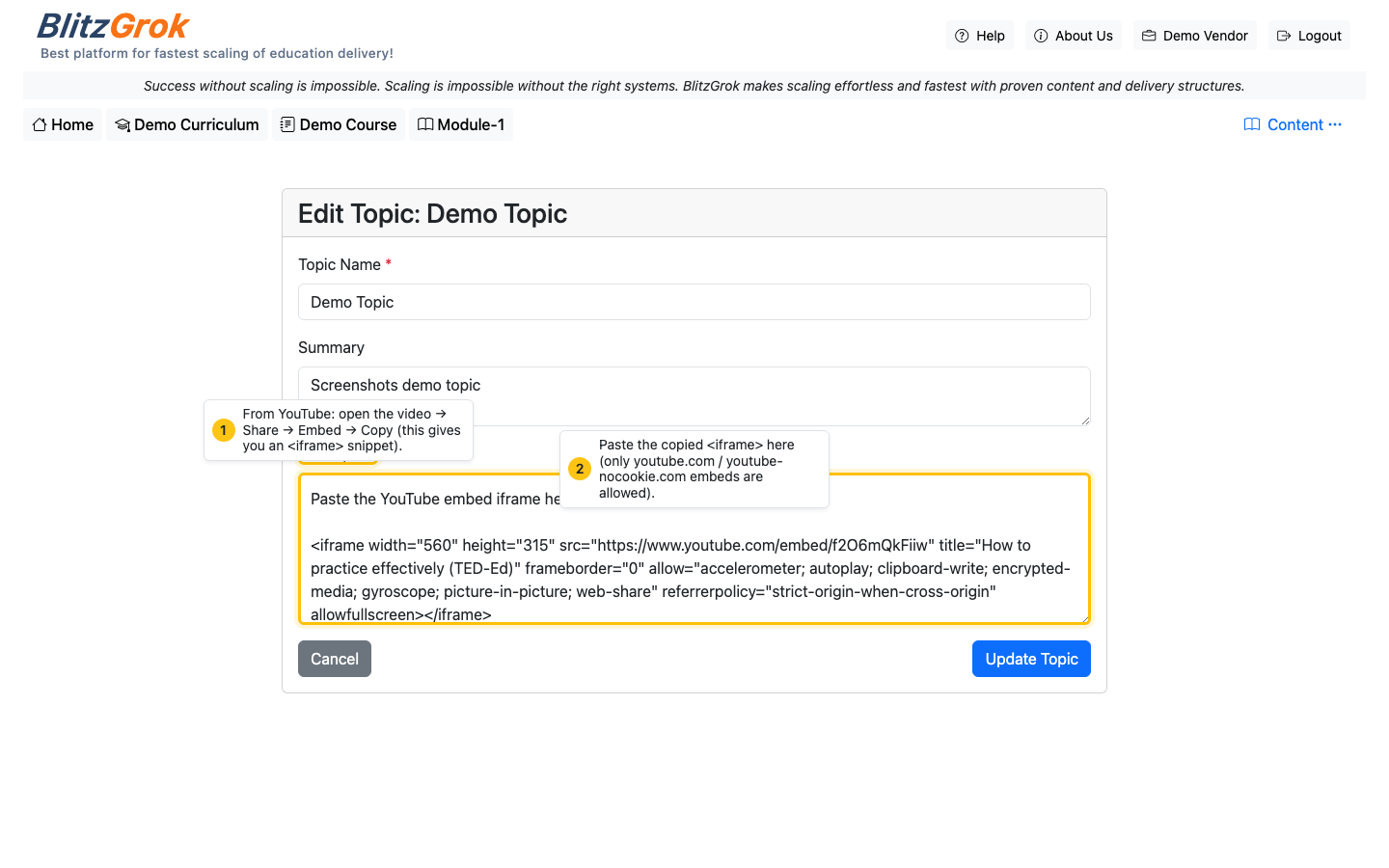
Make sure the URL is an embed URL. It should look like
https://www.youtube.com/embed/..., not watch?v=....
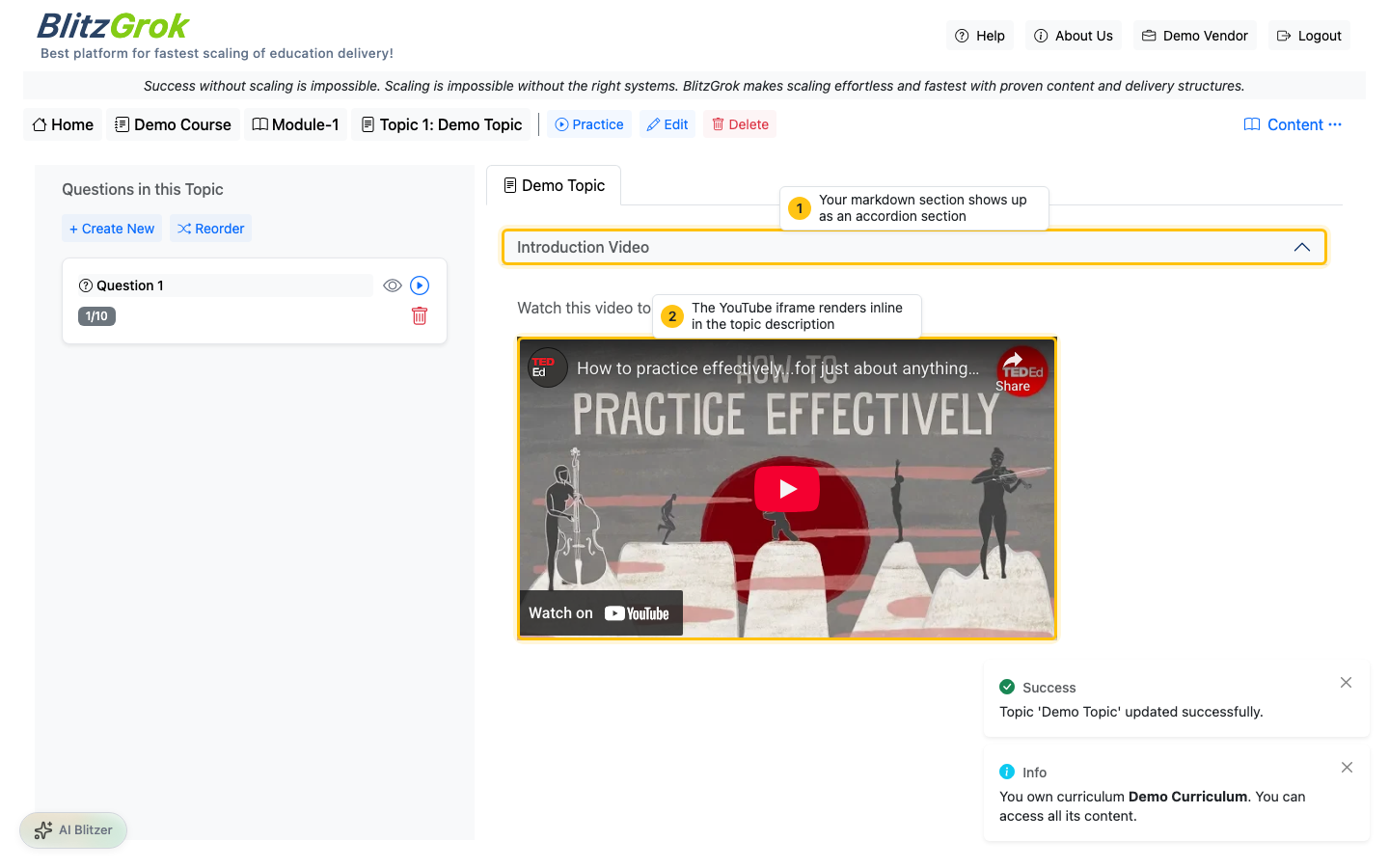
3 Save and verify
Save your changes, then open the page to confirm the video renders inside the description.
Troubleshooting
- Video doesn't show: ensure the iframe
srcisyoutube.com/embedoryoutube-nocookie.com/embed. - Other embeds removed: BlitzGrok strips non-YouTube iframes for security.
- Markdown formatting breaks the iframe: wrap the iframe in
Questions about embedding videos?
We're here to help